your driving gig assistant
Know what your shift actually paid you.
Millie Bourne logs the shift as it happens — payouts, fuel, expenses and every job in between — then shows the number that matters: what you kept, per hour and per mile.
Start your first shift in about a minute.
Tue · 4:12 pm
$186.40
−$42.10
$24.90
$0.71
- Job 4 · airport run12.4 mi
- Payout · dinner rush$18.75
- Fuel · 12.1 gal−$42.10
free calculator
Run the numbers on an offer before you take it.
Type the offer’s pay and miles and we’ll show what it pays per hour.
Pay what you want
Free to use — chip in if it earns its keep
The notebook costs nothing. If it saves you money, pick an amount and pay it once — or skip straight past and start free.
Chipping in happens inside your own notebook, so it needs an account first. Free, and it takes a moment.
A one-off payment, any amount from $0.50. Card details are handled by Base44 Payments — the app never sees them.
Prefer paper? Download the printable log sheet — free, no strings, chip in above if it earns its keep.
Who made this?
A long-time app designer who drives gigs too.
I’ve been enjoying driving for various delivery apps, and thought it would be fun to make a little app for tracking my own data. So the notebook you see here is the one I wanted for myself.
That’s why it’s pay what you want — because our margins are thin.
I made this. I’m still making it, too.
I’m actively improving how it works every day based on what I need it to do. I can do the same for you!
How it’s made
Built with AI. Runs on plain math.
I used AI to do the building, but there’s no AI inside the app. Every number you see is worked out the ordinary way — the same sums you’d do on paper, just done for you.
Where have we beenno driver, no exact place
This map shows anonymous pinned locations of the real drivers using the app — mostly me at this point.
All Tap, No Type
It’s designed by me to minimize the amount of typing I have to do. Everything uses the same tag system, so anything that you do type you can reuse everywhere. The tags come pre-populated and you can delete the ones you don’t want to use any time.
The add menu has its own web address, so it can live on your phone’s home screen. Use this iPhone shortcut to put it there.

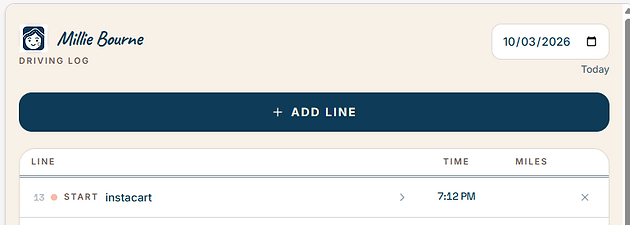

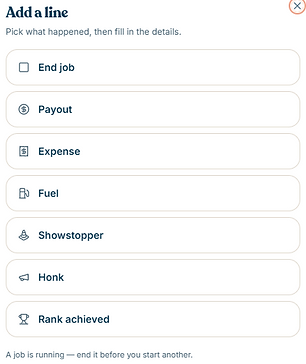

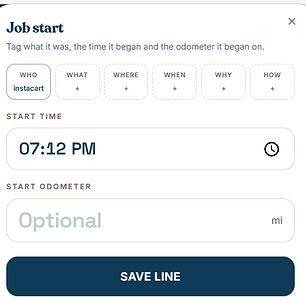
One tap per event
Start the shift, add a payout, log fuel or an expense. Big buttons built for the driver’s seat, not a spreadsheet.
Jobs, not guesswork
Each pickup, run or delivery gets its own start and end odometer, plus labels like airport or surge. Opt in and your phone tags the coordinates as well, so you can track mileage two ways.
The real number
Payouts minus fuel and costs, split by service — so you know your net per hour and per mile.
Take your data with you
Export every shift, payout, fuel stop and expense into one spreadsheet file whenever you like — nothing locked in.
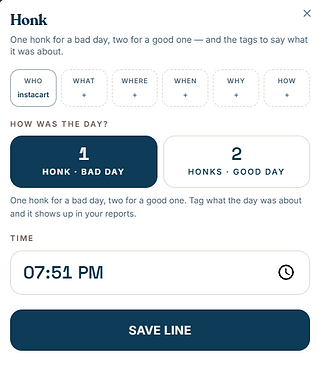
Honk if you’re happyhonk if you’re not happy